

In today’s fast-paced digital era, the demand for efficiency and productivity has never been higher. Professionals and businesses across various sectors are constantly seeking innovative ways to streamline their workflows, reduce manual labor, and achieve more with less time. One of the most promising solutions to this challenge is the emergence of AI copilots. These intelligent tools, powered by advanced artificial intelligence, are designed to work alongside users, offering real-time assistance, automating repetitive tasks, and enhancing decision-making capabilities.

An AI copilot serves as a digital assistant that seamlessly integrates with your existing software applications, guiding you through complex processes, suggesting optimal strategies, and providing data-driven insights. It is capable of learning from your behavior and adapting to your needs, ensuring that it becomes more effective and personalized over time. Whether you’re managing projects, writing emails, analyzing data, or providing customer support, AI copilots are proving to be indispensable tools that can supercharge productivity.
Understanding AI Copilots
An AI copilot is an intelligent assistant embedded within software applications to assist users in performing tasks more efficiently. By leveraging advanced machine learning algorithms, AI copilots can understand context, anticipate user needs, and provide real-time assistance. They are designed to integrate seamlessly with existing workflows, offering suggestions, automating repetitive tasks, and enhancing decision-making processes.
Key Features of AI Copilots
- Contextual Assistance
-
- Contextual Understanding: AI copilots analyze the context of the task and provide relevant, timely suggestions tailored to the user’s needs.
- Adaptive Responses: They adjust their help based on the nature of the task, whether it’s writing an email or solving a problem.
- Personalization: AI copilots consider past user interactions to refine their suggestions, ensuring they align with the user’s preferences and working style.
- Task Automation
-
- Routine Task Handling: Automates time-consuming tasks like data entry, scheduling, or report generation.
- Workflow Optimization: Allows users to focus on higher-value work by taking over repetitive and mundane tasks.
- Continuous Learning: Over time, AI copilots adapt to user behavior and automate tasks more efficiently as they learn preferences.
- Data Analysis and Visualization
-
- Efficient Data Processing: AI copilots analyze large datasets quickly and identify key insights.
- Pattern Recognition: They can detect trends and anomalies, offering recommendations based on data-driven insights.
- Visualization Tools: Transform complex data into user-friendly visual formats like graphs, charts, and dashboards to aid decision-making.
- Natural Language Processing (NLP)
-
- Human-like Interactions: AI copilots use NLP to understand and generate language, enabling natural conversations.
- Content Creation: Assists in writing emails, reports, and documents by suggesting relevant text, improving clarity, and maintaining tone.
- Multilingual Support: Some AI copilots offer translation services, breaking down language barriers in global communications.
- Integration with Existing Tools
-
- Seamless Software Integration: AI copilots work with existing applications like Microsoft Office, Google Workspace, and project management tools.
- Improved Tool Functionality: Enhance the capabilities of these tools by adding AI-driven features like smart scheduling, data analysis, and automated responses.
- No Disruption to Current Workflow: Integrating an AI copilot into your workflow is seamless, as they adapt to tools you already use, minimizing learning curves.
Benefits of Using AI Copilots
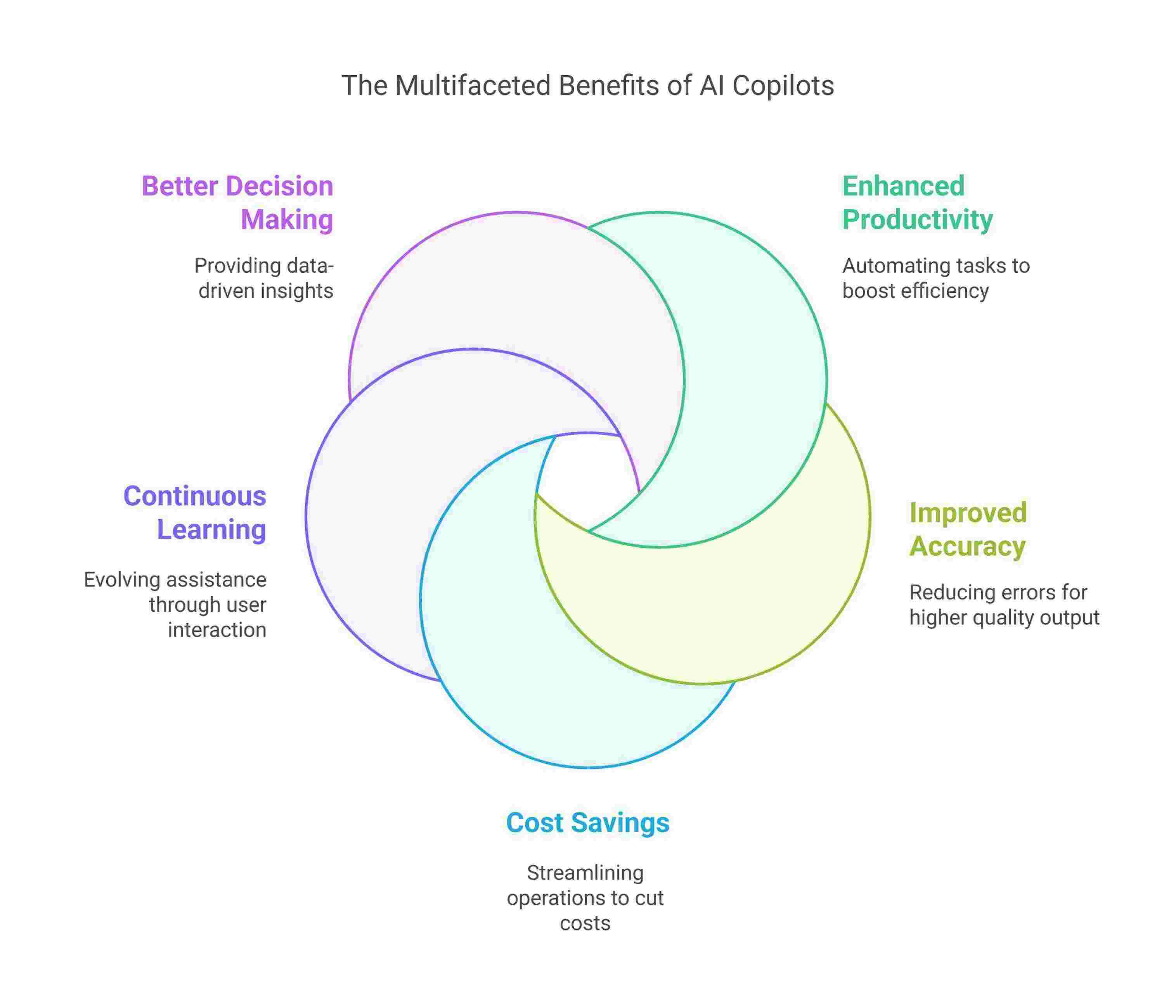
- Enhanced Productivity
-
- Time Efficiency: AI copilots automate time-consuming tasks, freeing up valuable time for more strategic and creative work.
- Focus on High-Value Work: Users can concentrate on solving problems and driving business goals while AI copilots handle mundane tasks.
- Streamlined Processes: With tasks being automated and workflows optimized, users accomplish more in less time.
- Improved Accuracy
-
- Error Reduction: AI copilots process and analyze data with high precision, reducing human errors in tasks like data entry or calculations.
- Consistent Performance: Unlike humans, AI copilots perform repetitive tasks consistently without the risk of fatigue or oversight.
- Higher Quality Output: With reduced errors, the output quality of work (e.g., reports, code, and communications) is significantly improved.
- Cost Savings
-
- Reduced Labor Costs: By automating routine tasks, businesses can cut down on the need for additional staff or outsourcing.
- Operational Efficiency: AI copilots streamline operations, reducing the need for manual intervention and speeding up task completion.
- Scalability: AI copilots enable businesses to handle larger volumes of work without increasing labor costs.
- Continuous Learning
-
- Adaptive Assistance: AI copilots evolve over time based on user interactions, becoming more attuned to the user’s workflow and preferences.
- Personalized Features: They tailor their assistance to match user habits, learning from previous tasks to improve their support.
- Ever-Improving Performance: The longer you use an AI copilot, the more effective and personalized it becomes, continuously refining its capabilities.
- Better Decision Making
-
- Data-Backed Insights: AI copilots provide actionable recommendations based on data analysis, ensuring decisions are grounded in facts.
- Faster Decision-Making: With quick access to relevant data and insights, users can make informed decisions swiftly, avoiding delays.
- Predictive Analysis: AI copilots can forecast trends and outcomes, helping businesses prepare for future challenges and opportunities.
Getting Started with AI Copilots
Starting with AI copilots involves a few key steps that ensure you can maximize their potential from day one. Here’s a detailed guide to help you get started.
- Identify Your Needs
-
- Assess Your Current Workflow: Before integrating an AI copilot, evaluate your daily tasks to understand which ones are repetitive or time-consuming. These tasks are prime candidates for automation and can benefit the most from AI assistance.
- Pinpoint Areas for Improvement: Identify bottlenecks or areas in your workflow where you struggle with accuracy, speed, or consistency. AI copilots can significantly help with such issues by offering suggestions, automating processes, or analyzing data.
- Set Clear Goals: Determine what you hope to achieve by using an AI copilot. This could include reducing time spent on administrative tasks, improving data accuracy, enhancing customer support, or optimizing business processes.
- Choose the Right Tool
-
- Research Available AI Copilots: There are many AI copilots available in the market, each with unique features and capabilities. Depending on your industry, needs, and the tools you already use, research AI copilots that best align with your requirements.
- Compatibility with Existing Software: Select a copilot that integrates seamlessly with the tools you already use. Whether it’s Microsoft 365, Google Workspace, or a project management tool like Trello or Asana, ensure the AI copilot fits smoothly into your existing software ecosystem.
- Evaluate Features and Pricing: Make sure the AI copilot offers the necessary features that match your needs, such as task automation, data analysis, or customer service capabilities. Also, consider the pricing structure to ensure it fits your budget.
- Training and Customization
-
- Initial Setup: Once you’ve chosen your AI copilot, follow the initial setup instructions provided by the vendor. This usually involves installing the necessary software or integrating the AI tool with your existing platforms.
- Provide Context and Data: For the AI to work effectively, it needs context. Start by feeding it relevant data (e.g., previous emails, project details, customer interactions) to help it understand your work patterns and preferences. The more data the AI has, the better it can tailor its suggestions and actions.
- Personalize the AI Copilot: Customize settings such as notification preferences, task automation rules, and even language or tone preferences to match your specific style of working. Personalization ensures the AI adapts to your needs quickly.
- Test and Fine-Tune
-
- Test in Small, Controlled Scenarios: Initially, use the AI copilot for smaller, less critical tasks to see how it performs. For example, start by having it automate a few scheduling tasks or generate simple reports. This will help you gauge its effectiveness.
- Analyze the Results: After using the AI copilot for a while, review its output. Is it providing helpful suggestions? Are the tasks being automated correctly? Assess how well the AI is enhancing your productivity and if it’s meeting your expectations.
- Fine-Tune Preferences: Based on your observations, fine-tune the AI’s settings. This may include adjusting its learning algorithms, modifying task workflows, or adding more data to enhance its learning capabilities.
- Monitor and Evaluate
-
- Track Performance: Regularly monitor how the AI copilot is performing in your daily activities. Check if it’s improving your productivity and making tasks more efficient.
- Review Goals and Adjust: Revisit the goals you set earlier and determine whether they are being met. If necessary, adjust your approach or expand the AI’s role in your workflow. For instance, you may find that you want the AI to assist with more complex tasks after it has handled basic ones well.
- Stay Updated: AI technology evolves rapidly. Stay updated with any new features, updates, or improvements released by your AI copilot provider to ensure you’re always working with the most powerful version available.
Conclusion
As businesses and individuals strive to keep up with an ever-evolving digital landscape, AI copilots are quickly becoming vital tools for productivity enhancement. These intelligent assistants are not just technological innovations; they are practical, adaptable, and highly effective in improving both efficiency and quality of work. By automating routine tasks, providing real-time assistance, and offering data-driven insights, AI copilots enable users to focus on what truly matters: creative thinking, complex decision-making, and strategic growth.
The integration of AI copilots into your workflow can lead to a profound transformation in how you manage your tasks, collaborate with teams, and achieve your objectives. The benefits they bring—such as increased productivity, improved accuracy, and cost savings—are clear. However, the true value lies in their continuous learning and adaptation, ensuring that they evolve with your needs and provide personalized support as you progress.
Getting started with AI copilots may seem like a step into the future, but with the right tools, strategies, and guidance, it’s a journey that can significantly enhance your daily operations. Whether you’re just beginning to explore their potential or already considering integrating AI copilots into your business, now is the time to embrace the future of work. The power of AI is at your fingertips—it’s time to unlock its full potential and elevate your productivity to new heights.


Leave a Reply